Remove Silence from Audio
Shorten every pause longer than a limit you choose, keep the natural rhythm, get one clean file. Free analysis and preview, no upload.
Open the silence removerNo signup, no upload, no watermark. Free up to 10 minutes.
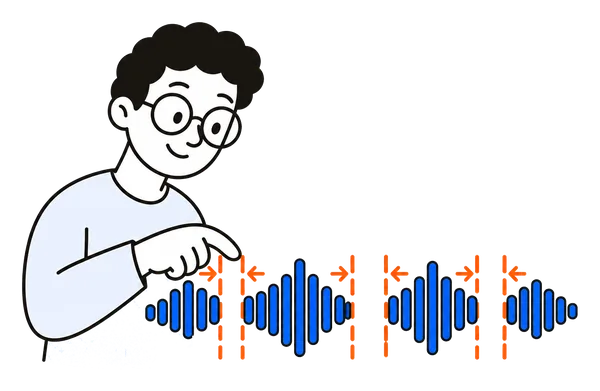
How to remove pauses from a recording in 3 steps
Three steps. Under a minute. Nothing installed.
Open the recording
MP3, M4A, WAV, FLAC or OGG. It stays on your device.
Find the pauses
Set the limit (pauses longer than 2 seconds, say) and how short they should become. ChunkAudio lists what it found and how much time goes.
Preview and download
Play a 30-second preview of the result, then download one file with the pauses shortened.
Built for meetings, lectures and podcasts
Built for one job, done properly.
Keeps the rhythm
Only pauses longer than your limit are touched, and each is shortened, not deleted, so speech never sounds chopped.
You see the numbers first
"47 pauses, 4 min 12 s, 11% of the recording." Decide with the facts, before anything is changed.
Preview before you commit
Hear the first 30 seconds of the result. Adjust the limit, listen again.
Nothing is uploaded
The whole analysis runs in your browser. Your recording never leaves your device.
Cheaper transcription
Transcription services bill by the minute. A one-hour meeting with 15% pauses removed is nine minutes you do not pay for.
Free up to 10 minutes
Short recordings: everything is free. Longer ones: analysis and preview are free, the download needs Pro (from €4.99 for a 7-day pass), which also adds MP3 export and removes ads.
What people shorten
What people cut with ChunkAudio.
Meeting recordings
Take the thinking pauses out of a two-hour call before you transcribe or share it.
Lectures and courses
Board-writing pauses gone, the lecture keeps its pace.
Interviews
Shorter files for the transcriber, same words.
Podcast episodes
Tighten a raw episode before editing, without touching a DAW.
Voice memos and dictation
Remove the "um, wait" gaps before sending or transcribing.
Language practice
Shorten the pauses in a recorded conversation to keep it flowing.
Frequently asked questions
Does it delete the pauses completely?
No. Each pause longer than your limit is shortened to the length you choose, half a second by default. That keeps breaths and sentence breaks natural. Set the target to zero if you really want them gone.
How does it decide what a pause is?
It measures the loudness in 20-millisecond steps and treats anything below the background level as quiet. Choose "Quiet room", "Normal" or "Noisy" to match the recording. Only quiet stretches longer than your limit count as pauses.
Is it free?
Recordings up to 10 minutes: completely free. Longer recordings: finding the pauses and the 30-second preview are free, and downloading the result needs ChunkAudio Pro: a 7-day pass for €4.99, a yearly plan or a lifetime licence. Pro also adds MP3 export and removes ads.
Is my recording uploaded?
No. Analysis, preview and the result are all produced inside your browser. Nothing is sent to a server.
What format do I get?
One WAV file, lossless. With Pro you can save it as MP3 at 192 or 320 kbps instead.
How long can the recording be?
WAV files of any length are analysed by streaming through them. MP3, M4A and AAC are analysed a couple of minutes at a time and joined on frame boundaries, at any length; with Pro the result keeps the original format. FLAC and OGG are decoded first, up to roughly two hours on a computer.
Will it help with transcription costs?
Yes, directly. Whisper-based services, Otter, Rev and the like bill per minute of audio. Pauses are minutes you pay for and get nothing back. Removing them before upload shortens the file and the bill.
Can I also cut a section or split the file?
Yes. The same app has a cut mode for one section and a split mode for equal parts. All three work on the same file, opened once.
Shorten the pauses now
Open, find the pauses, preview, download. Your file never leaves your browser.
Open the silence remover