Chapter Marks from an Audio File
Split a recording into parts, name them, and take the cut points as chapter marks: a timestamp list in the form YouTube descriptions and podcast show notes take, free; a CUE sheet or a Podcasting 2.0 chapters file with Pro. Cuts at equal lengths or at pauses. No upload, no signup, no file size limit.
Make chapter marksThe button opens the splitter; set the chapter length, split, and the marks appear under the parts. For books: split an audiobook into chapters.
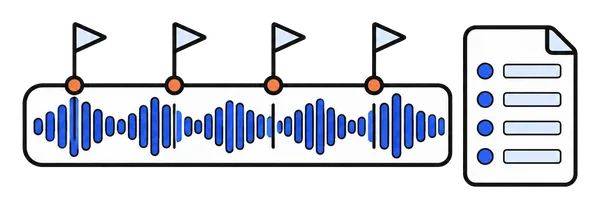
Chapter marks in 3 steps
A two-hour recording becomes a named chapter list in about a minute. Nothing installed, nothing uploaded.
Drop the recording
MP3, M4A, M4B, WAV, FLAC and most other formats, at any length. The file stays on your device.
Split into chapters
Set the chapter length, for example 10 minutes for a lecture or 5 for a podcast. Quick split cuts exactly there; Smart split moves each cut to the nearest pause.
Name the marks, copy or download
The list under the parts reads 00:00 Part 1, 10:00 Part 2 and so on. Type the names you want, then copy the list, or download it as text, as a CUE sheet or as a chapters file.
One list, three formats
The same marks and names, written the way each destination expects.
Timestamp list, free
Lines like 00:00 Welcome and 14:52 First question, the form a YouTube description needs for chapters and that podcast show notes use. Hour stamps once the file is an hour or longer. Copy it or download it as a text file.
CUE sheet, with Pro
One TRACK per part with its title and start time, pointing at the original file. foobar2000, VLC and CD burning and tagging tools read it, so one long file plays with chapters or burns as separate tracks.
Podcast chapters JSON, with Pro
The Podcasting 2.0 chapters format, version 1.2.0: start time, end time and title per chapter. Attach it to the episode on a host that supports it, and Apple Podcasts, Pocket Casts, Overcast, Fountain and Podverse show the chapters.
Where the marks come from
The marks are the cut points of your split, nothing more and nothing less. Choose equal lengths and every chapter is as long as the next; choose Smart split and each cut moves to the nearest pause, so a chapter never starts in the middle of a word. The names are yours to type in the list before you export, and the CUE sheet and the chapters file take the same names. ChunkAudio does not listen to what is said, so for a recording whose topics change at irregular times, split at the length that fits most of them and rename the lines; for a lecture in ten-minute blocks, a reading in fixed chapters or a show with regular segments, the list is finished the moment the split is.
The parts themselves come out of the same split, frame-exact copies of the original for MP3, M4A, WAV and Ogg. Take them too, or take only the list.
What people make chapter marks for
The recordings that arrive here most often.
YouTube uploads of long audio
Lectures, talks and recorded sessions: a chapter every ten or fifteen minutes in the description, named after the topic.
Podcast episodes
Show notes with timestamps for free, and the chapters file for apps that show them, from the same list.
Audiobooks and long readings
A CUE sheet next to a single-file book, so players show the chapters; or the parts as separate chapter files. See splitting an audiobook into chapters.
Lectures and courses
Ten-minute blocks, named after the slide or the topic, for students who want to jump to one part.
Meetings and interviews
Agenda items or questions as marks, so the recording and its notes line up. See splitting recorded meetings.
Transcripts in parts
The start time of every part, to offset the timestamps when a long recording was transcribed in parts.
Frequently asked questions
Does it detect chapters from what is said?
No. The marks are the cut points of your split: equal lengths, or with Smart split the nearest pause to each planned cut. You name the chapters yourself in the list before you copy or download it. For a lecture in ten-minute blocks or a podcast with regular segments that is exactly what is needed; it is not a transcript-based topic detector.
What does YouTube need for chapters to show?
A list of timestamps with names in the video description: the first one at 00:00, at least three in all, each chapter at least ten seconds long, in order. ChunkAudio's list follows that form, with hour stamps once the recording is an hour or longer. Paste it into the description and the chapters appear on the progress bar a few minutes later.
What is a CUE sheet and who reads it?
A small text file next to the audio file that lists its tracks with titles and start times, in minutes, seconds and frames. foobar2000, VLC and most CD burning and tagging tools read it, so one long file plays with chapters or burns as separate tracks. ChunkAudio writes one TRACK per part, named as you named it, with the file name of the original recording.
How do I use the Podcasting 2.0 chapters file?
Upload the JSON file to your podcast host or any public web address and reference it in the episode's RSS item with the podcast:chapters tag, type application/json+chapters. Hosts that support Podcasting 2.0 do this for you when you attach the file. Apps that show the chapters include Apple Podcasts, Pocket Casts, Overcast, Fountain and Podverse. The file holds the version (1.2.0) and one entry per chapter with startTime in seconds, endTime and title.
Can I change the chapter names and times?
The names, yes: edit them in the list under the parts before you copy or download, and the CUE sheet and the JSON use the same names. The times come from the parts themselves, so to move a mark, split again with another length, or let Smart split place the cuts at pauses.
Do I have to download the parts too?
No. The split happens on your device in seconds and the marks appear under the parts; take only the list if the marks are all you need. The parts are there if you want them, for example to upload a long reading as separate chapters.
Is my recording uploaded?
No. ChunkAudio runs entirely in your browser; the recording is read and split on your own device and the marks are built from the parts there. Nothing goes to a server.
Is it free?
The timestamp list is free, to copy or download as a text file, with no signup. The CUE sheet and the Podcasting 2.0 chapters file come with ChunkAudio Pro (a 7-day pass from €4.99, a yearly plan or a lifetime licence), which also keeps parts in their original format, splits several files in one go and removes ads.
Chapter marks, now
Drop the recording, split it into chapters, name them, copy the list. The recording never leaves your browser.
Make chapter marks