MP3 Cutter Online
Cut MP3 files online, free: choose the start and end, keep the part you need or remove it, download. Trim both ends in one click (there is also a dedicated audio trimmer). No upload, no signup, no file size limit.
Open the MP3 cutterNo signup, no upload, no watermark. Exact to the sample. Step by step: how to cut MP3 files online.
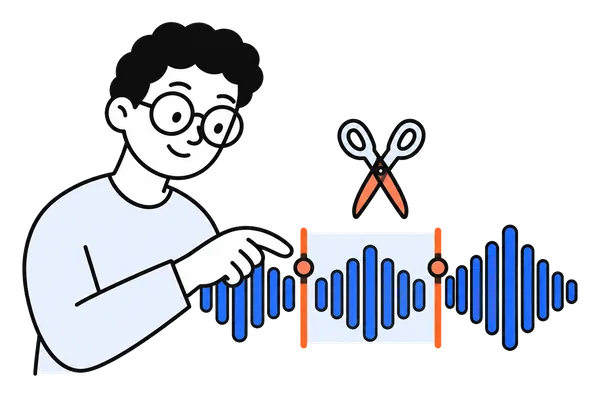
How to cut an MP3 online in 3 steps
Three steps. Under a minute. Nothing installed.
Open your MP3
Drag the file onto the page or click to choose it. It stays on your device.
Choose the section
Drag the two handles on the waveform, type the times, or press "Trim silence" to skip the dead air at both ends. Play to check the selection.
Cut and download
Keep the section or remove it. Download as WAV, or as MP3 with Pro.
What the MP3 cutter does
Call it an MP3 cutter, an MP3 trimmer, a clipper, a slicer or a splicer: the job is the same. You pick a start and an end inside one MP3 and get that piece as a file, or the file with that piece removed. ChunkAudio does it on your own computer or phone, so a 3 MB song and a 300 MB lecture are handled the same way, in seconds, and nothing is sent anywhere.
The cut lands on an MP3 frame boundary, about 26 milliseconds, and with Pro the result is the original frames copied, so the audio is never re-encoded. For a ringtone, a 30-second preview or a clip for a video, type the two times; for a rough cut, drag the handles on the waveform and press play to check. Two cuts in one go, equal pieces from a long file, or silence removed inside the recording are the jobs of the splitter and the pause remover next to it.
An MP3 cutter that does the job properly
Built for one job, done properly.
Keep it or remove it
Keep only the section you chose, or remove it and join what is left into one file. Optionally save the parts before and after too.
Exact to the sample
Set start and end by dragging the handles or typing times like 1:30. The cut lands on the exact sample, not the nearest second.
Trim silence in one click
"Trim silence at both ends" finds where the sound starts and stops and sets the handles for you. Play the selection, adjust, cut.
Nothing is uploaded
The file is read and cut inside your browser. It never touches a server, so there is nothing to delete afterwards.
Long files work
WAV files of any length are cut by copying bytes. MP3, M4A and AAC are cut on frame boundaries, at any length. FLAC and OGG are decoded first, up to roughly two hours on a computer.
MP3 export with Pro
Free downloads are lossless WAV. The optional Pro licence saves the cut as MP3 at 192 or 320 kbps and removes ads.
What people cut
What people cut with ChunkAudio.
Ringtones
Cut the 20 to 30 seconds you want from a song. Save as MP3 with Pro, or convert the WAV afterwards.
Podcast intros and outros
Trim the pre-roll and the dead air at the end before you publish.
A quote from an interview
Pull one answer out of a long recording to share or transcribe on its own.
A mistake in a voice memo
Remove the stumble in the middle and join the rest: one clean file.
Music for a video
Cut the exact bars you need so the audio starts where the picture does.
Samples and loops
Grab a sample-exact section for your DAW without opening a full editor.
Frequently asked questions
Is the MP3 cutter free?
Yes. Cutting is free and unlimited, with no signup and no watermark. The only paid option is ChunkAudio Pro (from €4.99 for a 7-day pass), which saves cuts as MP3 instead of WAV and removes ads.
Is my MP3 uploaded anywhere?
No. ChunkAudio runs entirely in your browser. The file is decoded and cut on your device, and the only network requests the page makes are for the page itself and, for Pro users, a licence check that contains no audio.
What format do I get?
WAV for free, which is lossless and plays everywhere. With Pro you can download the cut as MP3 at 192 or 320 kbps directly.
How long can the MP3 be?
There is no limit. The cut is made on MP3 frame boundaries without decoding the file, so a seven-hour recording works, on a phone too. Cuts land on the nearest frame, about 26 milliseconds.
Does the quality suffer?
No. The cut is a copy of the original MP3 frames, so with Pro the MP3 result is the original audio, untouched. The free WAV download is that same section decoded once, nothing re-compressed.
Can I cut a piece out of the middle?
Yes. Select the piece, choose "Remove this section and join the rest", and you get one file with the section gone and the two sides joined seamlessly.
Can I cut several sections at once?
One section per cut. For many pieces of the same length, use the split mode next to it: it divides the whole file into equal parts in one go, and can look for silences to cut at.
Does it work on my phone?
Yes, in any modern mobile browser. Drag the handles with your finger or type the times. Very large files depend on your phone’s memory.
How do I cut an MP3 online for free?
Open the cutter, drop the MP3 on the page, drag the two handles to the start and end of the piece (or type the times), press play to check, then click Cut. The piece downloads as WAV for free; with Pro it downloads as MP3 with the original frames. Nothing is uploaded and there is no account.
Is this also an MP3 trimmer or clipper?
Yes. Trimming is cutting at both ends, and the "Trim silence" button does exactly that in one click: it finds the dead air at the start and the end and sets the handles there. Clipping or slicing a section out of the middle is the same cut with "Remove this section" selected.
Can I cut an MP3 to an exact length, for example 30 seconds?
Type the start time and the end time into the two fields; the selection snaps to the nearest MP3 frame, about 26 milliseconds. For a ringtone that is more than precise enough, and the file keeps its original bitrate and quality.
Cut your MP3 now
Open, choose the section, cut. Your file never leaves your browser.
Open the MP3 cutter