Normalize Audio Loudness Online
See how loud a file is in LUFS, then bring it, or every part of a split, to -16 LUFS for podcasts, -14 for streaming or -23 for broadcast. Measuring is free, nothing is uploaded.
Measure my fileNo signup, no upload, no watermark. Measuring free; matching with Pro.
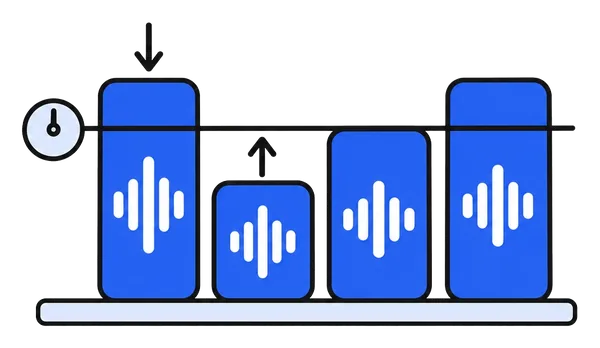
How to normalize loudness in 3 steps
Three steps. Under a minute. Nothing installed.
Drop the file
MP3, M4A, WAV, FLAC or OGG, one file or a split into parts. It stays on your device.
Read the numbers
Integrated loudness in LUFS and the true peak in dBTP, per file or per part, measured the way the platforms measure. Free, and the first thing you see.
Match and download
Pick -16, -14 or -23 LUFS and every part is brought to that level by one gain, never past -1 dBTP. Download as WAV, or as MP3 with Pro.
Built for podcasts, voice-overs and audiobooks
Measured properly, changed honestly.
Measured the broadcast way
ITU-R BS.1770-4: K-weighting, 400 ms blocks, gated. The same arithmetic as the platforms' own meters, within a tenth of an LU of ffmpeg's.
The numbers first, for free
"-21.4 LUFS, true peak -3.2 dBTP, parts 6.3 LU apart." Decide with the facts before anything is changed.
Three targets
-16 LUFS for podcasts, -14 for streaming and YouTube, -23 for broadcast. Pick one and every part lands there.
Nothing is uploaded
Measuring and matching run in a background thread of your browser. Your recording never leaves your device.
True-peak safe, no compression
One gain per part, like one turn of a volume knob. A part that would clip stops at -1 dBTP and the list says so; the dynamics stay as recorded.
Parts of one recording, one level
Split an episode into segments or an audiobook into chapters, and bring them all to the same loudness in one go, with an undo.
What people bring to one level
Where the numbers matter.
Podcast episodes
Every episode, and every segment within it, at -16 LUFS before upload.
YouTube voice-overs
Speech at -14 LUFS so the platform does not turn it down or leave it quiet.
Audiobook chapters
Chapters recorded on different days at one level, measured instead of guessed.
Lectures and courses
A series of recordings that sounds like one series.
Interviews
Two microphones, two days, one loudness, without a DAW.
Before transcription
Quiet recordings lifted to a sensible level so the transcript catches every word.
Frequently asked questions
What is LUFS, and why not just look at the peak?
LUFS is the loudness scale podcast apps, YouTube and broadcasters use (ITU-R BS.1770). It weighs the frequencies the ear hears loudest and averages over the whole recording, gated so silence does not pull it down. Two files with the same peak can differ by 10 LU in how loud they feel; two files at the same LUFS sound equally loud. The peak only says how close the file is to clipping.
Which target should I pick?
-16 LUFS for podcasts and spoken word (Apple and Spotify's recommendation), -14 LUFS for YouTube, Spotify music and most streaming, -23 LUFS for European broadcast (EBU R128). If you deliver to one platform, use its number; if you do not know, -16 is the safe middle for speech.
Is it free?
Measuring is free, for every file and every part, with no limit. Matching the loudness needs ChunkAudio Pro: a 7-day pass for €4.99, a yearly plan or a lifetime licence. Pro also adds MP3 export, the original format out, pause removal and an ad-free site.
Is my file uploaded?
No. The measurement and the matching run inside your browser, in a background thread; nothing is sent to a server, and the site keeps no copy. Long files are decoded a few minutes at a time, so a two-hour recording works too.
Why did a part stop short of the target?
Raising a quiet recording with a loud click or laugh in it would push that peak past -1 dBTP, where streaming encoders start to distort. ChunkAudio raises the part only as far as the true peak allows, tells you so, and leaves the rest to you: trim the peak, or accept a slightly quieter file. Nothing is compressed or limited behind your back.
Does it compress or change the sound?
No. Each file or part is raised or lowered as a whole by one gain, like turning a volume knob once. The dynamics, the tone and the timing stay exactly as recorded. If you want compression or levelling inside a recording, that is a different tool.
What do I download?
WAV, lossless, for free, or MP3 at 192 or 320 kbps with Pro. A matched part is re-encoded, so the untouched original-format copy that Pro normally hands out is not available for it; the WAV and the MP3 carry the matched loudness exactly.
Can I match several parts of one recording to each other?
Yes, that is the point. Split an episode or a lecture into parts, measure them, and the app shows how far apart they sit and brings them all to one level in one go. One file works the same way: open it through the button above and it is treated as a single part.
See the numbers now
Drop the file, read its loudness, match it if you like. Your file never leaves your browser.
Measure my file